- Early Years, journey 1
- Junior
- Maker, journey 3
- Explorer, journey 4
- Creator, journey 5
- Researcher, journey 6
Teach a computer to see, hear and recognise a pose.
Three labs in the browser. Learners collect their own examples, train a real model, test it on examples it never saw, and find out why it gets things wrong.
- Who it is for
- Anyone starting with AI. If you can drag a block and hold a button, you can begin.
- What learners build
- An image, sound or pose classifier that runs live on the webcam or microphone.
- What you need first
- A browser, and a webcam or microphone. No coding and no AI knowledge.
- Available now?
- Yes. Free during early access, with a free account.
The first journey where a computer really learns
Each lab is one idea, pictures, sounds or poses, with the same five steps and a tutor that names the next one.
What makes this stage different
Early Years builds the habits of noticing patterns and sorting. Junior is where a computer does the learning, from examples the learner chooses. Every model is real: it trains on the learner’s device and is scored on examples it never saw.
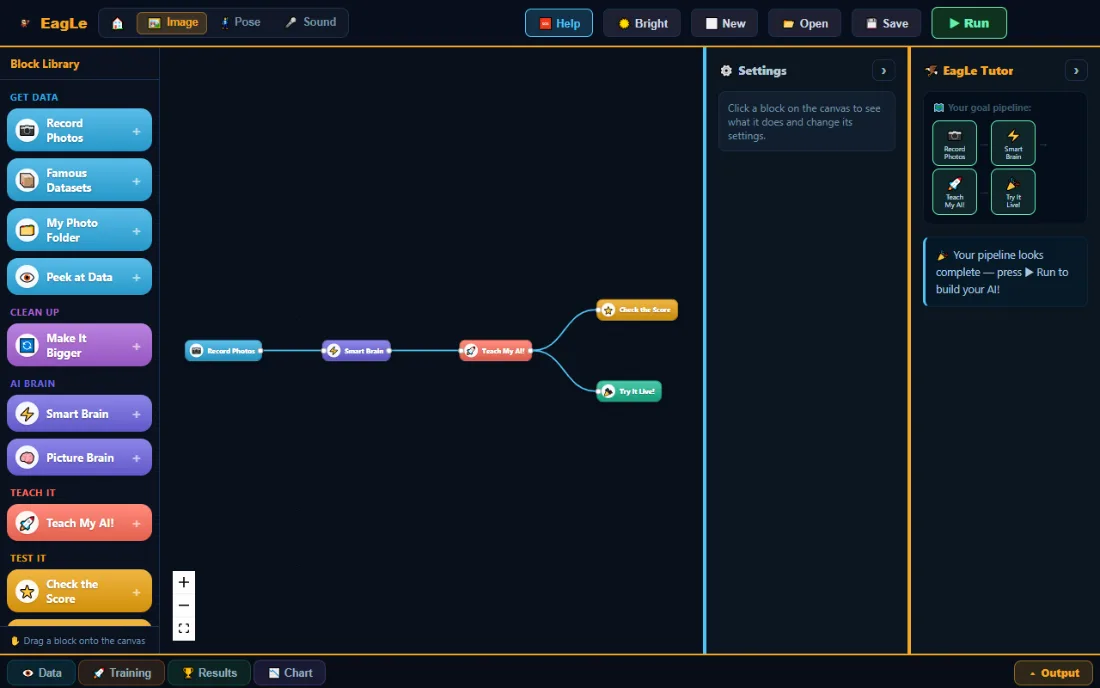
There is no code. The learner joins blocks into a line, and the tutor checks that the line is complete before anything runs.
Learns from examples
Explains that a model learns from the examples it is given, and that those examples decide what it can do.
Reads an honest score
Says what a score on new examples means, and why it is lower than the score on the examples it studied.
Finds and fixes a mistake
Spots the class the model confuses and improves it with better, more varied examples.
Describes a pipeline
Names the steps of an AI project: collect, build, train, test, use.
Three labs, one way of working
Every lab uses the same blocks and the same steps. Only the kind of example changes.
Teach it to see
- The examples
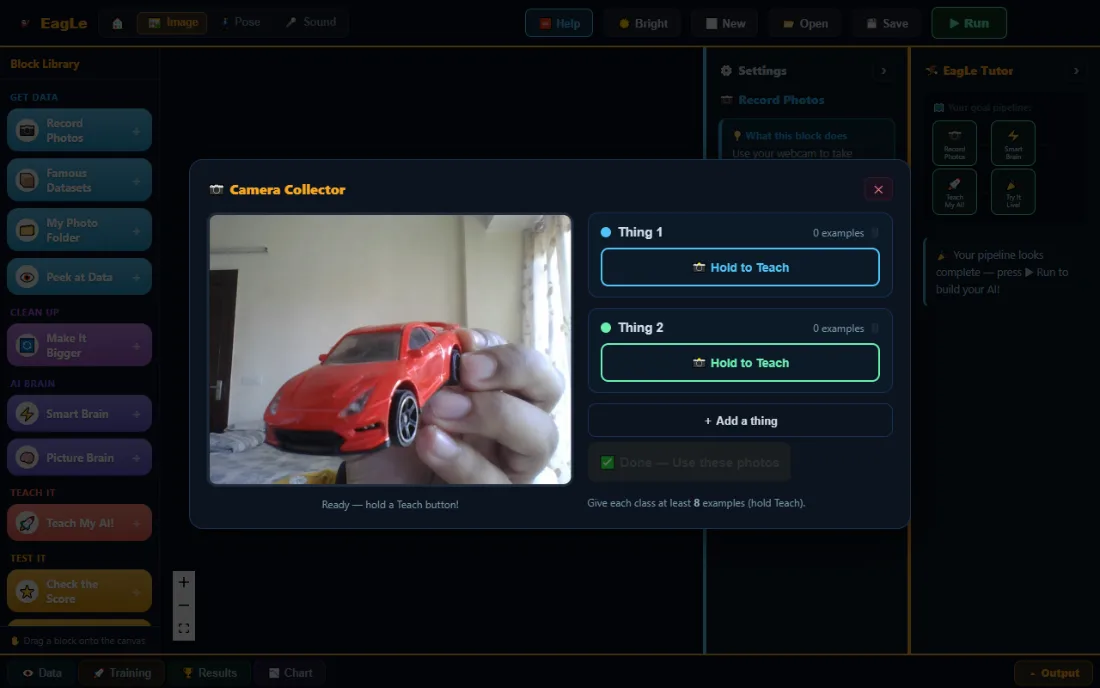
- Photos from the webcam or a folder, or a famous dataset: handwritten numbers, clothes or shapes.
- The brain
- Smart Brain reuses a ready-made picture model and trains one new layer. Picture Brain is a small network trained from scratch.
- Try this
- Teach it two things, then show it a third thing it never saw. What does it say?
Teach it to watch
- The examples
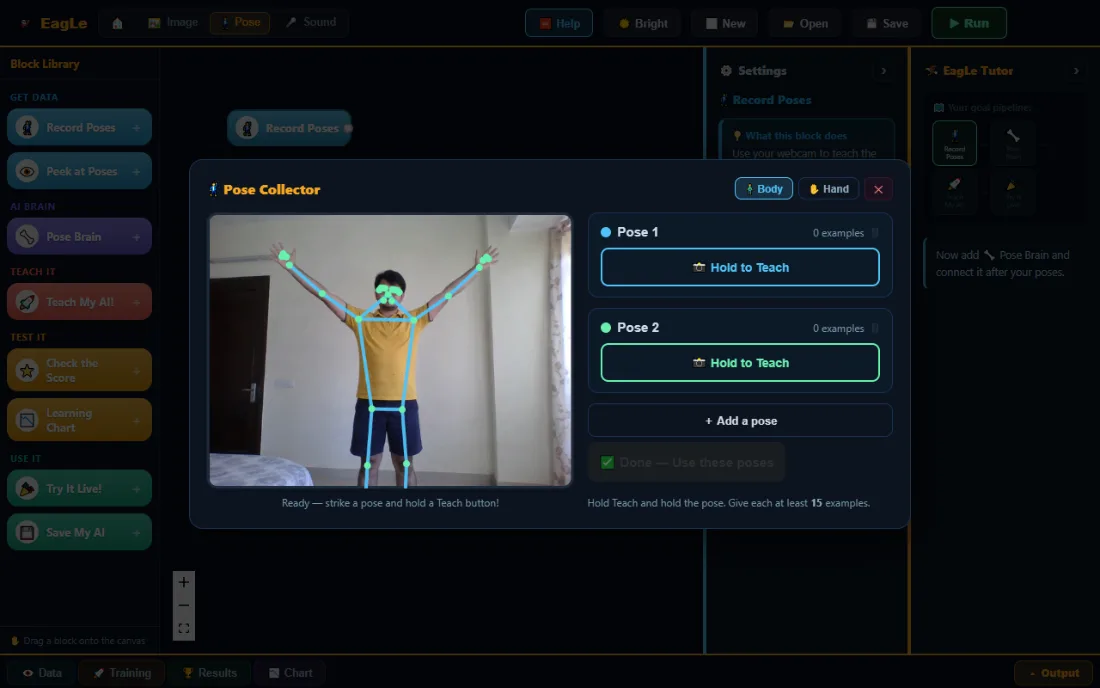
- Whole-body poses or hand gestures, recorded live.
- The brain
- A ready-made tracker finds 33 body points or 21 hand points. A small network learns which pattern of points is which pose.
- Try this
- Teach “arms up” and “arms down”. Then stand further away. Does it still know?
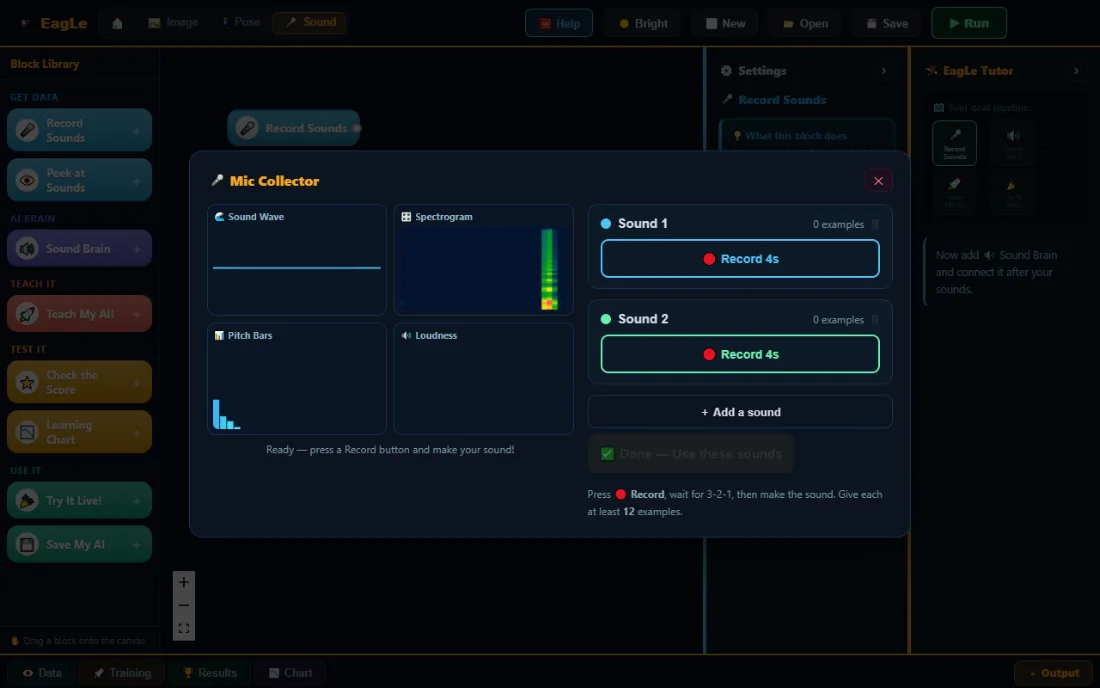
Teach it to hear
- The examples
- Claps, whistles or spoken words, with a countdown so hands are free.
- The brain
- Each sound becomes a fingerprint of its pitches, and a small network learns the difference.
- Try this
- Add a “quiet” class. Watch what happens to the mistakes in a noisy room.
Five steps, the same in every lab
These are the steps real AI projects follow. The tutor shows which one comes next.
Collect
Record examples of each thing, at different angles, distances or volumes.
Build
Join the blocks: data, brain, teach, check the score, try it live.
Train
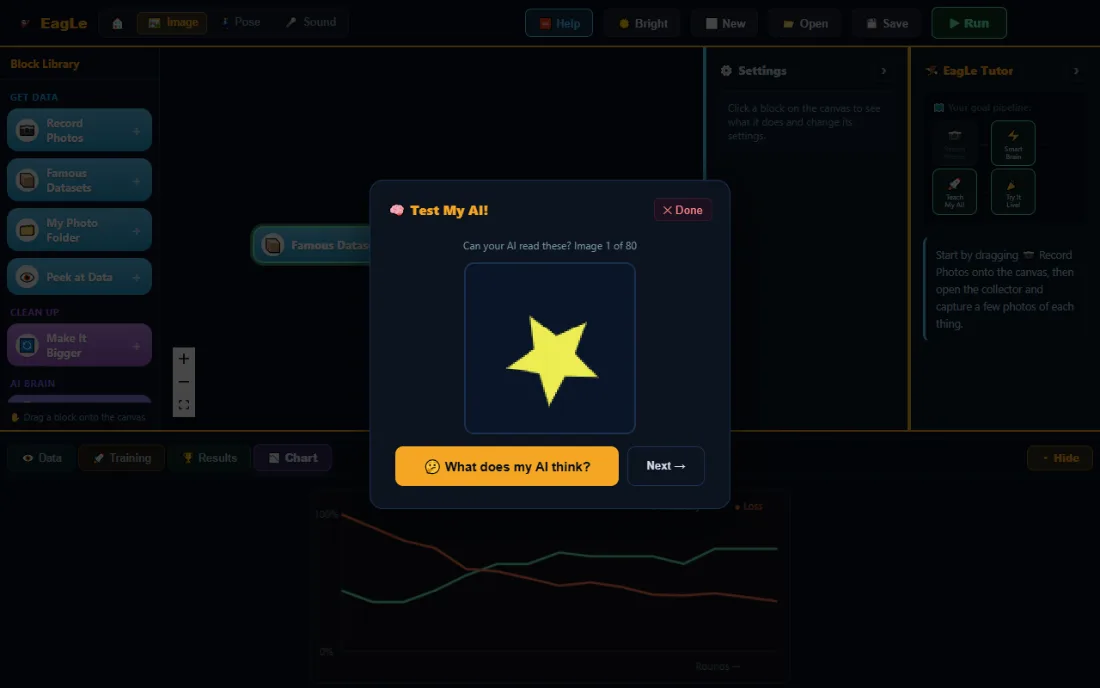
Press Run. The model practises and the chart shows its mistakes falling.
Test
It is scored on examples held back from training, never on the ones it studied.
Improve
Read what it mixes up, record better examples, and train again.
The shapes challenge: can it tell a star from a triangle?
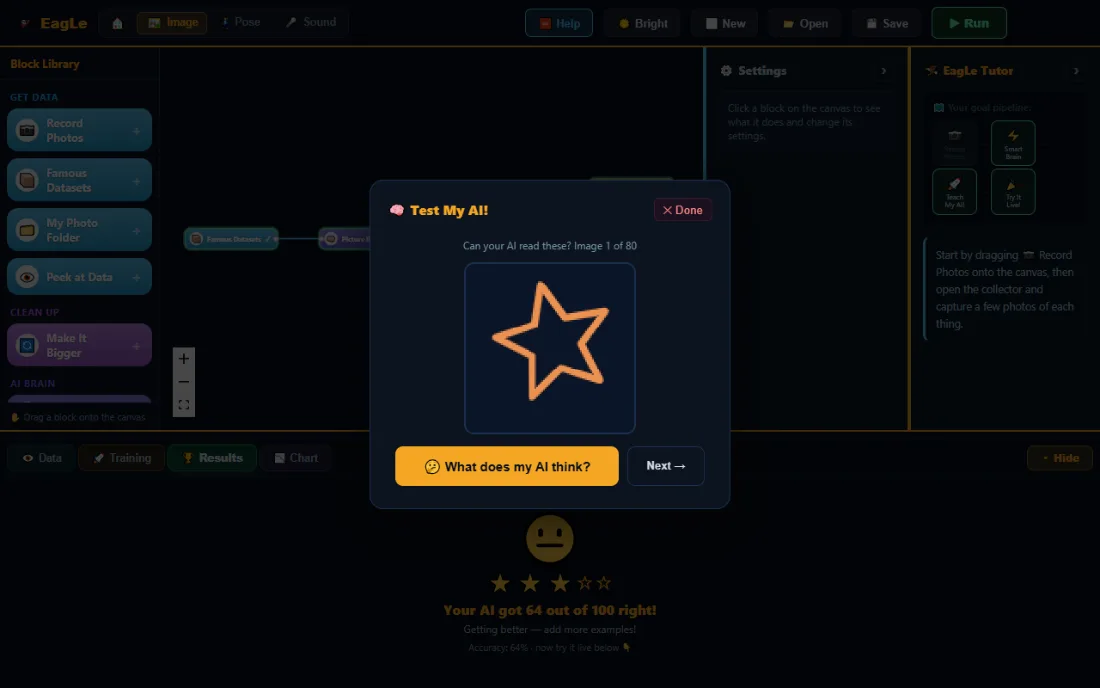
Learners train a Picture Brain on a famous dataset of shapes, test it, and then try to beat their own score.
- What the learner builds
- A shape classifier: Famous Datasets, Picture Brain, Teach My AI, Check the Score.
- What the AI contributes
- A small convolutional network that learns edges and corners from the pictures.
- What the learner must understand
- 64 out of 100 means it is often wrong. Stars and triangles share points, so it mixes them up.
- How it is tested
- On 80 pictures it never saw while learning, one at a time, with “What does my AI think?”
The ideas that stay after the lab closes
A model is only as good as its examples
Few or similar examples make a model that fails on anything new.
Training is practice
The model adjusts its numbers to make fewer mistakes, round by round.
Only new examples give an honest score
A model can remember what it studied. The real test is what it never saw.
Sure is not the same as right
Try It Live shows how sure the model is. It can be very sure and still wrong.
Every mistake says what to record next
After training, the tutor names the problem in plain words and points to the fix.
Read the score
The score is on examples held back from training: the end of each recording, so near-identical frames cannot leak into the test.
Find the confusion
The tutor says it plainly, for example “it thinks your Triangle is a Star”.
Change one thing
Record more varied examples of the confused class, or let it study more rounds.
Train and compare
Run again and check whether the score moved, and why.
The same ideas, in things learners already use
Photo apps that sort pictures
Phones group photos by what is in them using image classifiers. In Junior, learners build a small one.
Assistants that wait for a wake word
A sound model listens for one word among all the others. The sound lab works the same way.
Apps that count exercises
Fitness apps track body points and recognise poses. The pose lab uses a body tracker of the same kind.
Where Junior sits on the path
Junior follows the AI project cycle used in CBSE’s Computational Thinking and AI curriculum: collect, train, test, reflect. The mapping is ours, and we walk teachers through it.
- Before
Early Years Planned
Patterns, sorting and order, before any AI.
- This journey
Junior Open now
undefined
- Next
Maker Open now
AI, programming and robots: sense, think, act.
For teachers and parents
No AI background is needed to run a Junior lab. The tutor explains each step.
- A lesson’s shape
- Collect, train, test and improve fit one class period. The first model takes a few minutes.
- Help in the room
- The tutor names the next step, so the teacher is not the only help.
- Devices
- A laptop, desktop, Chromebook, tablet or phone with a current browser. A webcam or microphone for the labs that see or hear.
- Privacy
- Photos, sounds and poses stay in the browser and are never uploaded. An account keeps an email address.
- No installs
- No admin rights and nothing copied onto the machine. Ordinary school Wi-Fi is enough.
- Checking learning
- Each model gets an honest score, and the learner explains its mistakes. There is no teacher gradebook yet.
Bring Junior to a class or school
Tell us about your class. We reply by email, usually within a day.
Open now, in the browser
Create a free account, then pick a lab. It takes about a minute.
Free during early access
You will be asked to create a free account first if you are not logged in.
- All three labs, every feature
- No payment and no card
- Projects stay yours
Paid plans will come later. We will say so here and by email before anything changes.
- Browser
- A current Chrome, Edge or Safari, on a laptop, desktop, Chromebook, tablet or phone.
- Camera or microphone
- A webcam for the image and pose labs, a microphone for the sound lab. Built-in ones are enough.
- Internet
- To open the page and load the AI the first time. Collecting, training and testing happen on the device.
- Account
- A free account with an email address. Children’s recordings are not stored in it.
Questions about Junior
Is EagLearn Junior free?
What does a learner actually build?
Does it need the internet?
Do I need to know about AI to help?
Is my child’s data safe?
How does it fit the school curriculum?
What happens after the 30-day free trial?
Start with one lab. Then make it move.
When the labs feel easy, Maker connects the same ideas to programming and real robots.